Graze Together
Duration : 1 Month Role : UX/UI Designer
2023

Overview
Many small businesses launch on Instagram for its accessibility and visual appeal. But as orders grow, managing custom requests via DMs becomes inefficient. I partnered with a Seattle-based charcuterie business to design a pre-order app that reduces friction, streamlines requests, and helps the founder reclaim time.
Problem Statement
With growing demand, the founder struggled to manage custom orders through instagram DMs. This lead to confusion, delays, and missed sales. She needed a centrailzied soultion to streamline ordering, reduce ghosting, and free her up to focus on what she loved : creating charcutie boards
Process
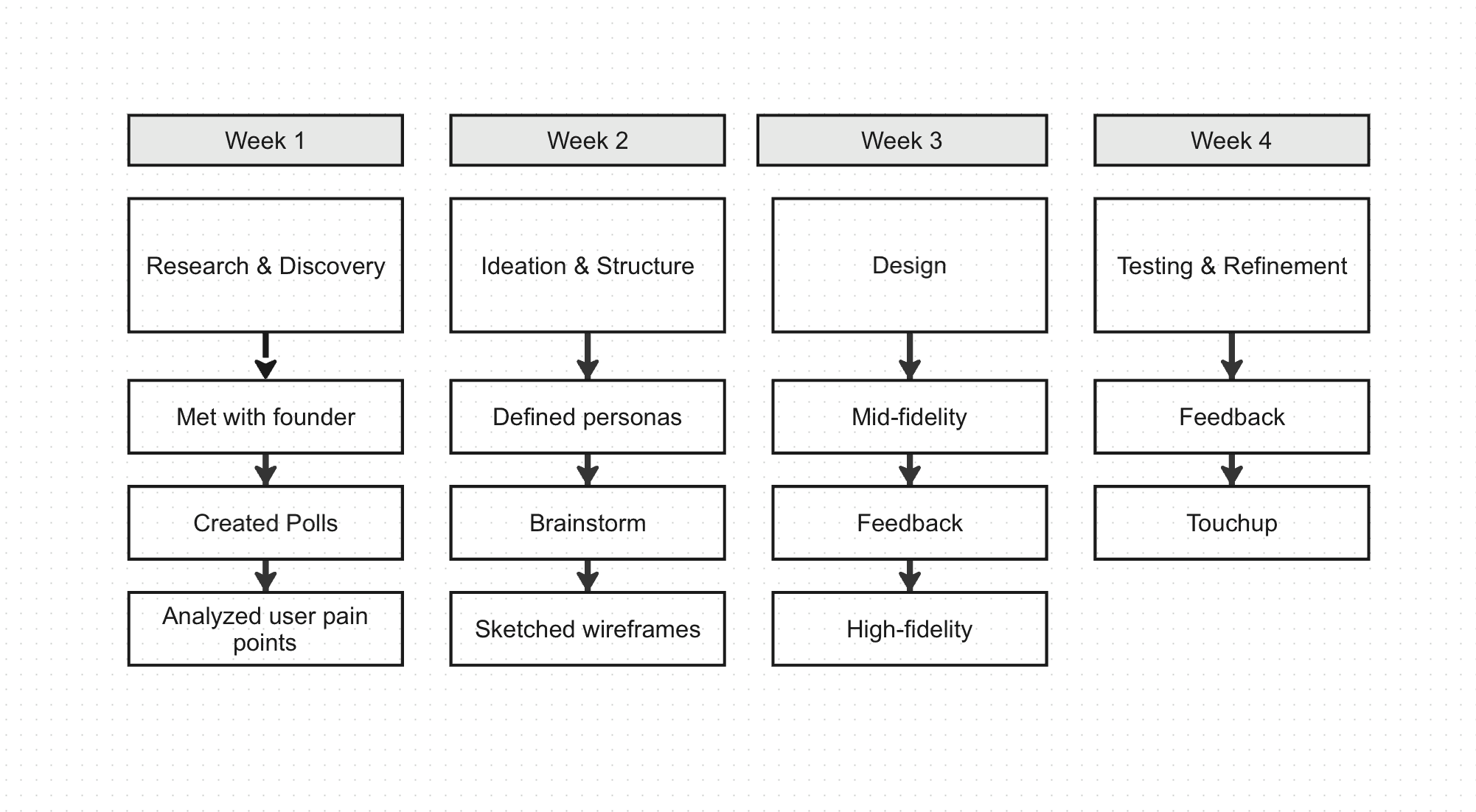
This project was completed over a four-week timeline, following an iterative design process that moved from initial research and discovery into ideation, design, and final testing. Each phase built on the previous one, allowing for continuous refinement based on insights, feedback, and evolving design decisions.
Research & Insights
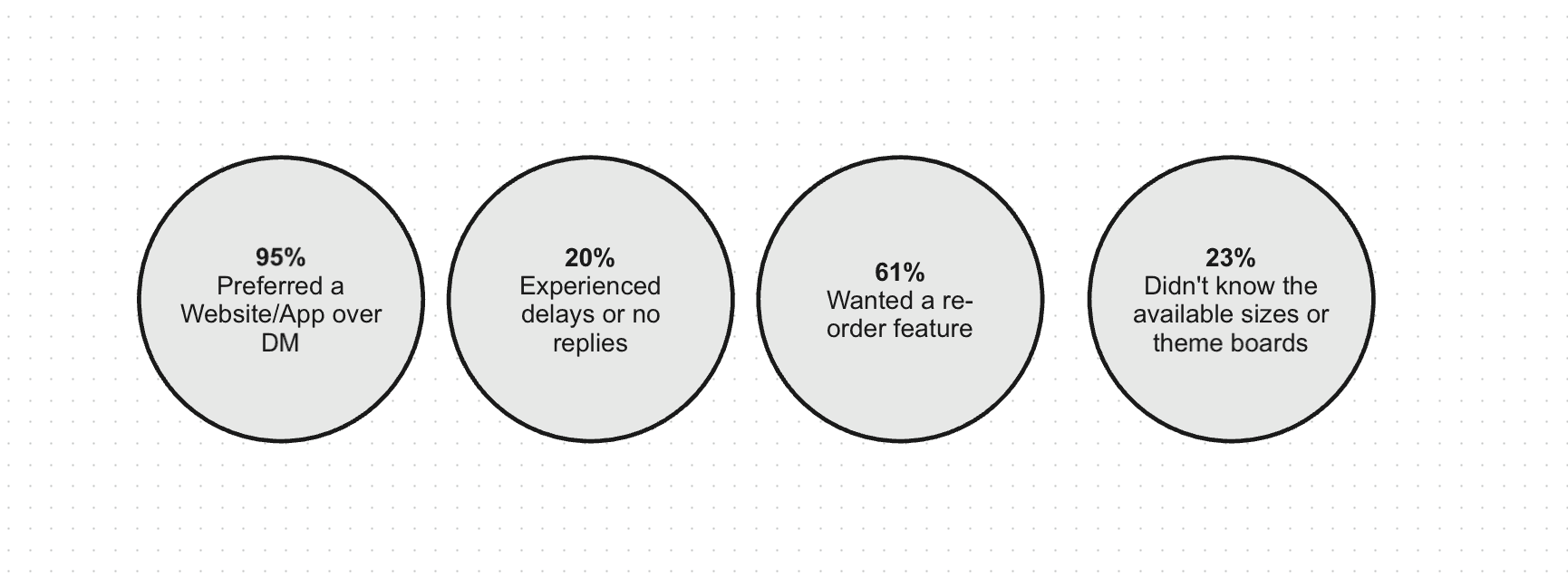
Instagram Polls : I launched a short poll through the business’s Instagram Stories, the same place where most ordering interactions originally happened. Within 48 hours, I received 51 responses from a mix of past and potential customers. The goal was to gather quick feedback on their experience ordering via DMs and to understand what they wished existed instead.
Mid-Fidelity Wireframes
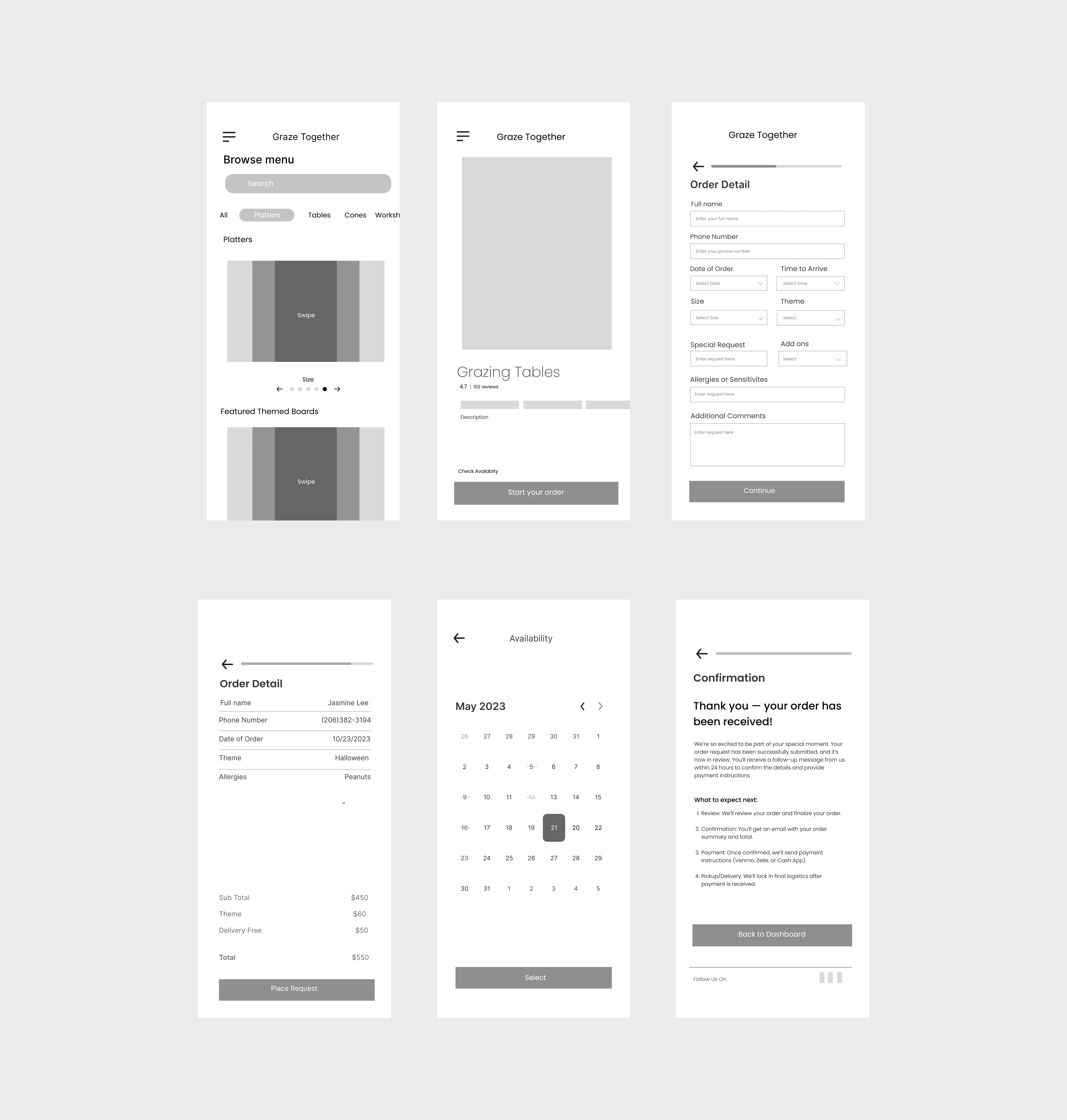
I created mid-fidelity wireframes to validate layout, hierarchy, and core user flows. This step helped me see how all features connect across the experience and ensured the design stayed aligned with the original goals and principles before moving into high-fidelity design.
Feedback & Iteration
Initial testing revealed that while users appreciated the simplicity of the app, they wanted clearer feedback after submitting an order and more visual cues throughout the menu page
- Added visual preview images and descriptions to each board option
- Designed a confirmation screen with an estimated response time and next steps
After incorporating these changes, I moved into the high-fidelity design phase, refining the UI to match the brand’s aesthetic and ensure a smooth, mobile-first user experience.
Testing and Validation
To validate the design and ensure it aligned with user needs, I conducted small-scale usability testing with 4 participants who matched the business’s customer base, including busy customers and event planners in the Seattle area. These sessions focused on core tasks such as browsing the menu, submitting an order, and navigating the form flow. Given the project scope and time constraints, testing was conducted remotely using clickable Figma prototypes. The goal was to observe how easily users could complete an order without needing outside guidance.
Final Design
The final product reflected the brand’s modern, handcrafted aesthetic while creating a more seamless and intuitive customer experience. Thoughtful design decisions, from clean layouts to refined visual details, helped highlight the uniqueness of each offering while reducing friction throughout the browsing and booking process. By balancing aesthetics with usability, the experience feels both elevated and approachable, allowing customers to engage with the brand more confidently and efficiently.

Homepage & Menu
The homepage highlights available board options with clear visuals, pricing, and categories for quick browsing. Designed with a mobile-first layout, it allows users to explore effortlessly without needing to message the owner.
Order Flow & Confirmation
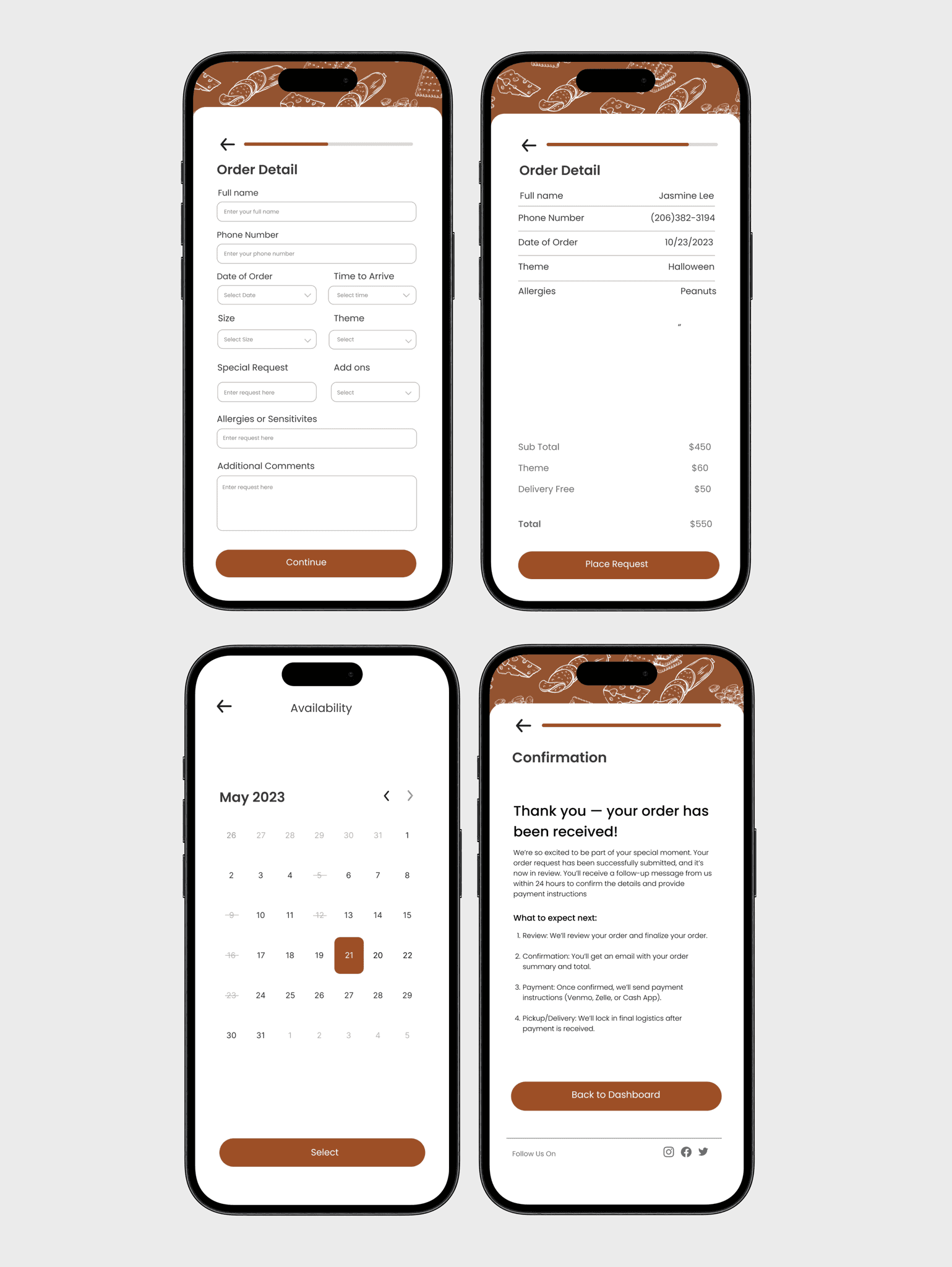
Users can easily complete their order in a guided, step-by-step flow, filling in details like name, date, size, and theme before reviewing a clear summary. The process ends with a friendly confirmation screen, reassuring customers their order was received and outlining next steps.
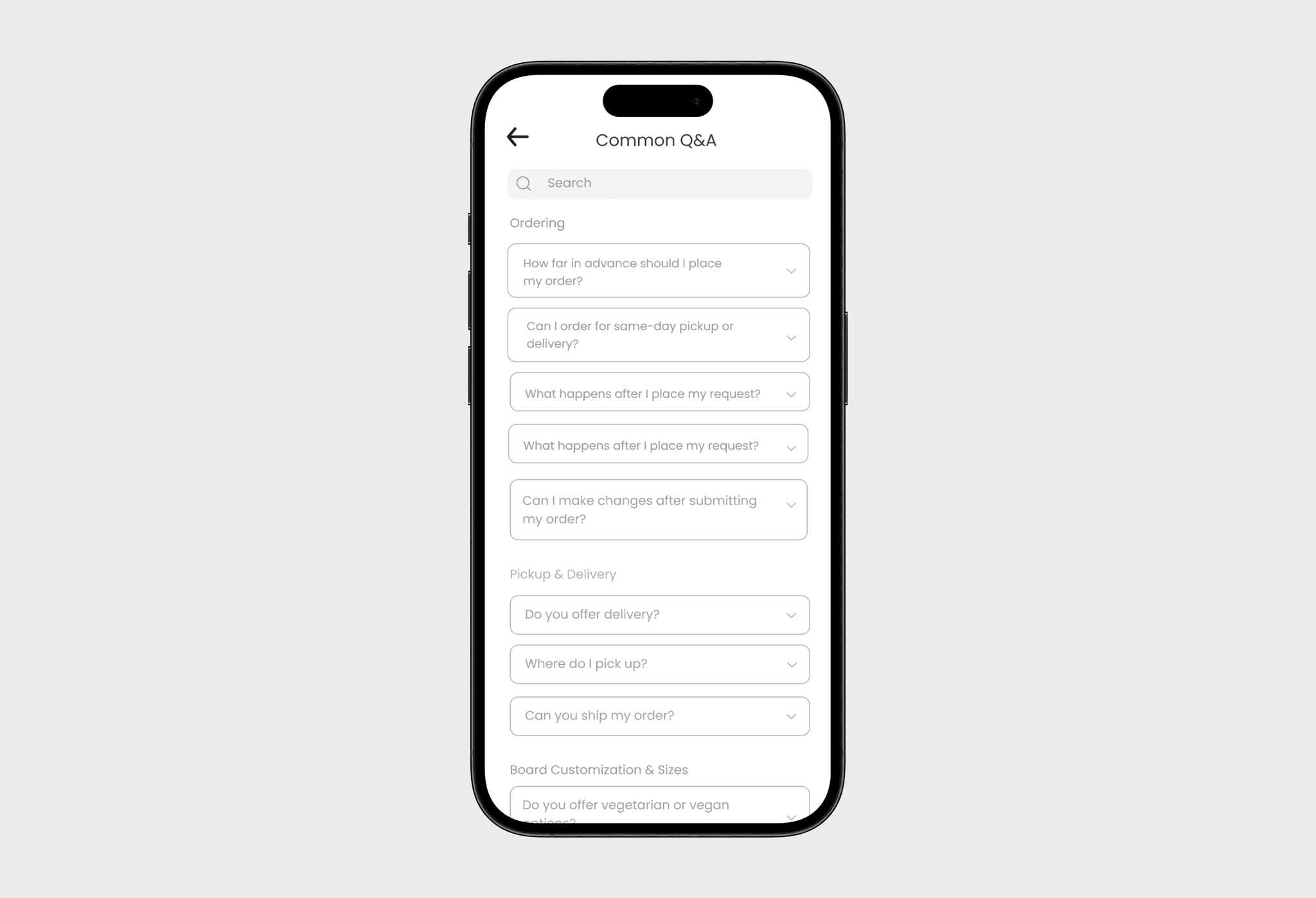
Q&A Page
A dedicated Q&A section helps customers find quick answers about board sizes, pickup options, and customization details. This reduces repetitive messages for the owner while improving clarity and customer confidence before ordering.
Reflection
Graze Together was one of my very first end to end UX projects, and I often look back on it as a clear marker of how much my skills have grown since then. At the time, it challenged me to think beyond visuals and focus on real user needs while working within the realities of a small business. Although the app was not launched due to the founder’s maternity leave, the final design was implementation ready and well received by both users and the client.
This project taught me how to balance user needs with business constraints, communicate effectively with a small business owner, and adapt quickly when project scope and timelines changed. More importantly, it helped me build confidence in translating research into practical design decisions.
If I were to revisit this project today, I would rethink parts of the layout for improved clarity and scalability, and introduce additional features to better support repeat customers. These would include a lightweight backend for order tracking, an automated follow up system, and a one click re order experience to reduce friction for returning users. Overall, Graze Together was a meaningful learning experience and a foundation for my growth as a designer. It reminds me how far I have come and continues to shape how I approach designing thoughtful, human centered solutions for real people and real businesses.